
- Royale Lounge App Guide for UK Mobile Users
- Finding the Correct Royale Lounge Website
- Royale Lounge and Royal Lounge Are Different Products
- Royale Lounge App, APK and Browser Access Explained
- Preparing Your iPhone or Android Phone
- Saving Royale Lounge on iPhone
- Saving Royale Lounge on Android
- A Home-Screen Icon Does Not Require an APK
- Handling Login and Registration on Mobile
- Password Recovery and Saved Credentials
- Permissions and Personal Information
- Resolving Mobile Display and Form Problems
- Keeping Mobile Access Organised
Royale Lounge App Guide for UK Mobile Users
Looking for the Royale Lounge app? Start with the correct website, royale-lounge-casino-uk.com, and distinguish a casino app from a browser shortcut before downloading anything. An icon on your phone’s home screen can open a website without being a separate installed casino application.
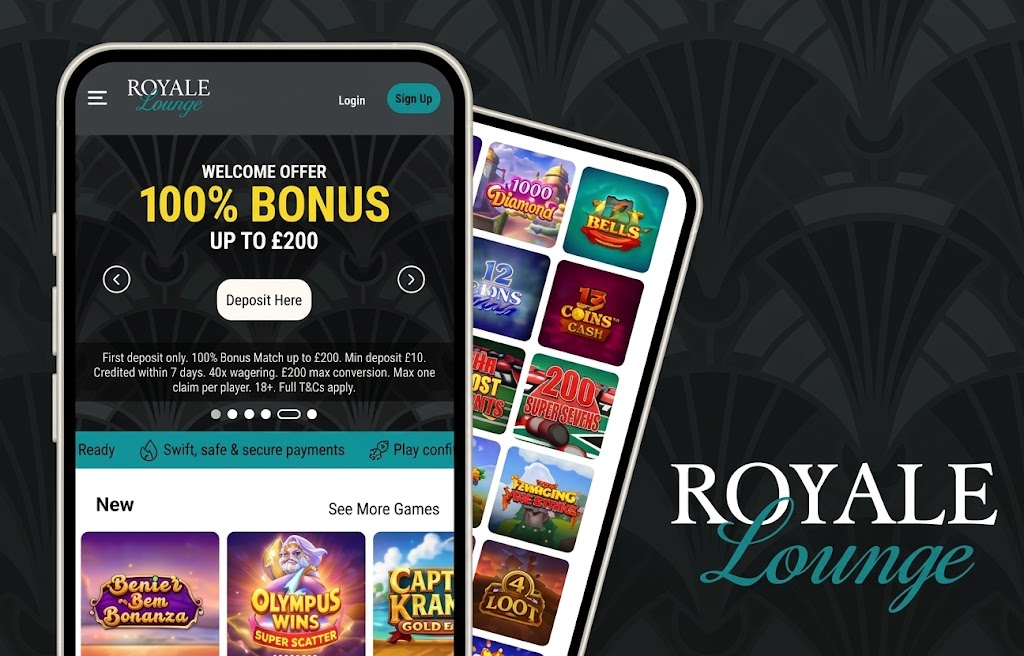
This guide explains the differences between iPhone apps, Android APK files and browser access, alongside practical steps for saving the correct address and protecting your account details. Pay particular attention to the spelling: Royale Lounge and Royal Lounge are different names, and similar search results should not be treated as interchangeable.
Finding the Correct Royale Lounge Website
The Royale Lounge website address is royale-lounge-casino-uk.com. When looking for mobile information, use this address as your starting point rather than choosing a download page solely because its logo or name looks familiar.
A page describing a casino is not necessarily its account portal or software distributor. Review sites, promotional pages and download directories may discuss a brand without providing an authorised route to sign in or install software.
Before entering personal details, expand the browser’s address bar and read the full domain. The page title, a familiar colour scheme and an HTTPS connection do not independently establish who operates a website.
Royale Lounge and Royal Lounge Are Different Products
Royal Lounge Casino, formerly GSN Casino, is a Scopely social casino product. Its store description explains that it uses virtual rewards and does not offer real-money gambling or real-money prizes.
Do not treat that listing as a Royale Lounge casino download. The missing letter in the name matters, as do the developer identity and the type of product being offered. Installing a similarly named game does not connect it to an existing account with another business.
Royale Lounge App, APK and Browser Access Explained
Mobile access can take several forms. Understanding the differences helps you decide whether a page is asking you to visit a website, save a shortcut or install software.
| Access format | What it means | What to establish before proceeding |
|---|---|---|
| Native iPhone app | Software installed through an app distribution service | The publisher’s identity and its connection to the intended casino |
| Native Android app | Software installed on an Android device | The developer, distribution source and requested permissions |
| Android APK | An Android application installation file | Who supplied the file and why it should be trusted |
| Mobile browser page | A website opened in a browser | The full website address |
| Home-screen shortcut or web app | An icon that opens a website, sometimes in a separate window | The destination address and whether the browser offers this option |
An APK is a file format, not a quality mark. Likewise, an app-store listing establishes the identity of the listed product, but a similar name does not establish a relationship with Royale Lounge.
A browser shortcut also does not create extra account features, change offer conditions or provide separate payment rules. Its purpose is to make a saved website easier to open.
Preparing Your iPhone or Android Phone
For browser-based tasks, keep the browser and phone operating system updated. These updates maintain the software used to display pages, handle forms and protect stored credentials.
Use a personal device where possible. A shared phone may retain browsing history, downloaded documents or saved passwords after you close a tab.
Before handling account information:
- Confirm the destination address in the browser.
- Use a connection you recognise.
- Keep access to your registered email account.
- Check which account a password manager is offering to fill.
- Close unrelated tabs containing personal or payment details.
There is no need to install a file simply to save a website address. Bookmarks provide a straightforward way to return to the same destination.
Saving Royale Lounge on iPhone
Safari allows you to bookmark a website on an iPhone. A bookmark records an address so that you can return without repeating a search.
To save the Royale Lounge website:
- Open Safari and enter royalelounge.com.
- Review the address displayed in the browser.
- Open Safari’s sharing or page options.
- Choose the bookmark option.
- Give the bookmark a recognisable name and save it.
- Open the saved bookmark and confirm its destination.
If your browser offers an option to add a website to the home screen, review the address before accepting. The resulting icon represents the saved website or web app; its appearance alone does not make it a native Royale Lounge iPhone app.
Save a public website address rather than a password-reset link or a page containing a temporary account token.
Saving Royale Lounge on Android
On Android, a browser bookmark serves the same purpose: it stores the destination for later use. Chrome also supports installing web apps where a website provides the relevant functionality.
Open the intended address first, then use the browser’s own bookmarking or home-screen options. The exact wording can vary by browser and software version.
A Home-Screen Icon Does Not Require an APK
A website shortcut and an Android installation file are separate things. If your aim is simply to save an address, use the browser controls rather than downloading an APK from a search result.
Be cautious with pages advertising modified, unlocked or unofficial casino applications. Those descriptions do not establish a connection with the brand, and installing software can expose more information than visiting a webpage.
Handling Login and Registration on Mobile
The destination matters more than the device. Before completing any login or registration form, establish that it belongs to the intended account service.
For an existing account, use the details associated with that account. Moving between a computer and a phone does not, by itself, require a new registration. Creating another account to resolve a password problem can complicate account identification.
Password Recovery and Saved Credentials
Use a recovery process reached from the genuine account service. A password-reset message should relate to a request you made, and its link should lead to the expected destination.
If autofill inserts an unexpected email address or password, check the saved entry before submitting. Password managers can hold credentials for several similarly named websites.
Account confirmation and identity verification are also different tasks. Confirming access to an email address does not necessarily complete identity checks. Where documents are requested, follow the instructions for that specific request rather than sending them to a generic download or promotional page.
Permissions and Personal Information
Consider each permission in relation to the task you are completing. Selecting an existing document and taking a new photograph are different actions, so they can involve different device permissions.
For example, photographing a document may involve camera access, while selecting a saved image may use the phone’s file picker. Neither process requires you to grant unrelated permissions simply because a page mentions account verification.
Keep these distinctions in mind:
| Request | Practical consideration |
|---|---|
| Camera access | Is taking a new photograph necessary for the current task? |
| File or photo selection | Are you sharing only the intended document? |
| Notifications | Do you want messages displayed on this device? |
| Password saving | Is the phone private and protected by a screen lock? |
| Software installation | Is the source connected to the intended publisher? |
Review the contents of a document before uploading it. Avoid including unrelated financial records or personal information outside the stated request.
Resolving Mobile Display and Form Problems
A display problem should be approached methodically. Changing several settings at once makes it harder to identify what caused the issue.
For ordinary browser problems, start with the least disruptive action. Close an obstructing keyboard, check the address or reopen the relevant page before clearing stored website data.
| Symptom | First action | Why it helps |
|---|---|---|
| A form field is hidden | Dismiss the keyboard and scroll | The keyboard may cover the lower part of the page |
| Text or controls appear cramped | Return browser zoom to its usual setting | Excessive zoom can alter the visible layout |
| Autofill supplies the wrong details | Review the saved password entry | The browser may have selected another account |
| A bookmark opens an unexpected page | Inspect its saved address | It may point to an old or unrelated destination |
| A document is difficult to read | Retake the image with even lighting | Blur and glare can obscure important details |
| A page behaves differently after an update | Restart the browser and retry | This can clear a temporary display issue |
Before clearing cookies or website data, remember that doing so may sign you out. Keep access to your account credentials and registered email.
If a payment form has already been submitted, establish the transaction status before submitting it again. Repeating a request is different from correcting a display problem.
Keeping Mobile Access Organised
Use one clearly named bookmark for the intended Royale Lounge address and review old shortcuts before relying on them. Keep download links separate from login links so that a saved promotional page is not mistaken for an account portal.
When requesting help with a mobile issue, provide the phone model, operating system, browser and the exact action that caused the problem. A cropped screenshot can help explain a display issue, but remove passwords, payment details and identity documents.
The practical starting point for a Royale Lounge app search is the correct brand and destination. Establish those first, then choose the browser or installation route that the genuine service specifies.
Download the Royale Lounge Casino App Now
Android APK + iOS PWA - instant setup for UK players. Claim your mobile bonus on first login.
18+. T&Cs apply. UK players only. Please gamble responsibly.

Bonus Deals October 2026